
Quantum Atom Builder
Same controls as the Bohr-model builder, but electrons appear as overlapping probability clouds instead of orbiting points.
None
Electron shells are drawn as overlapping probability clouds (schematic). Real atoms use quantum orbitals with more complex shapes; this view keeps the same shell filling rules as the Bohr-model builder.
Probability clouds, not orbits
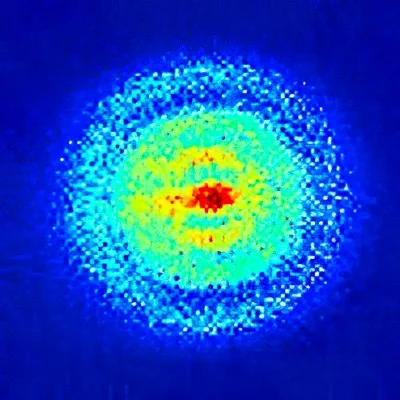
In quantum mechanics, electrons do not follow planetary-style orbits. They are described by orbitals: regions where the electron is likely to be found. This simulator uses soft, layered clouds as a schematic stand-in for that idea.
It is not a plot of real hydrogen orbitals (s, p, d, f lobes). It keeps the same shell filling rules as the classical Bohr-style builder so you can still explore atomic number, isotopes, and ions.
Frankly, this view is less informative than the Bohr model. Then again, it is strikingly similar to how an atom really looks.
How to use
Use the same steps as Atom Builder (Bohr): add protons, neutrons, and electrons and watch the element, mass number, and charge update. Compare the two simulators to connect the shell picture with a more modern mental model.